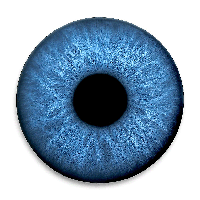
How to photograph your iris
Last reviewed October 6, 2026
The sharpest iris photo comes from a friend: they hold your phone's back camera 3–5 cm from your eye with the flash on and take one photo of each eye. If you're on your own, use a mirror. Skip the selfie camera; it isn't sharp enough for the fine detail an iridology reading looks at.
Option 1: ask someone (best)
- Open Iris AI and tap the camera. The app shows a circle and a green cross.
- Your helper holds the phone with the back camera 3–5 cm from your eye. Turn the flash on.
- Look straight ahead and open your eye wide. They line up the pupil with the green cross and take the photo.
- Repeat for the other eye. One photo per eye, labelled left and right in the app.
Option 2: the mirror method
- Stand close to a mirror in good light, holding the phone at your eye with the back camera facing you.
- Watch the phone's screen in the mirror and zoom in until your iris fills the circle.
- Hold steady, take the photo, then do the other eye.
Checklist for a sharp photo
- Back camera, not the selfie camera
- Flash on, or bright, even light
- 3–5 cm from the eye
- Hold still for a second after you tap
- No glasses; contact lenses with a tint or pattern change how the iris looks, so take them out if you can
The app checks each photo for sharpness and centring before you confirm it, and you can retake as often as you like. A short video in the app (the Tips button on the camera screen) shows both methods.
Already have a close-up of your iris, for example from a studio? You can pick it from your gallery instead of taking a new one.
Questions people ask
Can I use the selfie camera for an iris photo?
It is better not to. The front camera is usually less sharp and can't focus as close, so the fine fibres and markings an iridology reading looks at get lost. Use the back camera with a helper or a mirror.
Should the flash be on?
Yes, in most rooms. Flash gives even light on the iris. A small bright reflection on the eye is normal.
Do I need special equipment?
No. Any recent phone with a back camera works. Iridologists use magnifying cameras, but Iris AI is designed for a normal phone photo taken close up.
In short
Back camera, flash on, 3–5 cm, one photo per eye, ideally taken by someone else. The app tells you if a photo needs a retake.
Iris AI offers wellness insights only. It is not a medical device and does not diagnose, treat, cure or prevent any disease. For health concerns, talk to a doctor.